
Microsoft has recently made a great feature available to almost all Azure AD (EntraID) administrators. Password protect allows those administrators to create a list of passwords that are unable to be used by the users. There are a couple of caveats to this system. The first is the use of a Global Block list, Synacktiv has a really great write-up on how to read this from on prem and you can check that out here. The second is that you can only add up to 1000 words to that list. The third is Microsoft takes that list and substitutes it a few ways. For example Password will cover P455w0RD, passworD, PaS5wOrD and so on. This is fantastic but I still think 1000 words is not enough. Password Protect is a really great feature that everyone should be using.
Password protection acts similarly to Conditional Access Policies, you can add your words to the list but you must both enforce the custom list and then put it in Enforced mode.
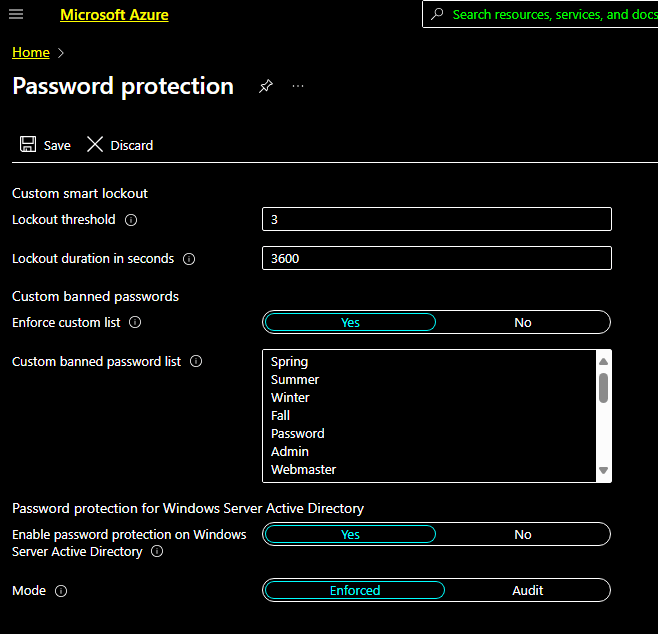
What I was really interested in was finding a way to dump this list outside of using the Azure Portal. I scoured the internet to see if there was any documentation around doing this via the Microsoft GRAPH API, as that has been a pretty great way to enumerate things inside of Azure. I was unable to find anything official so tried just calling it with a a graph token.
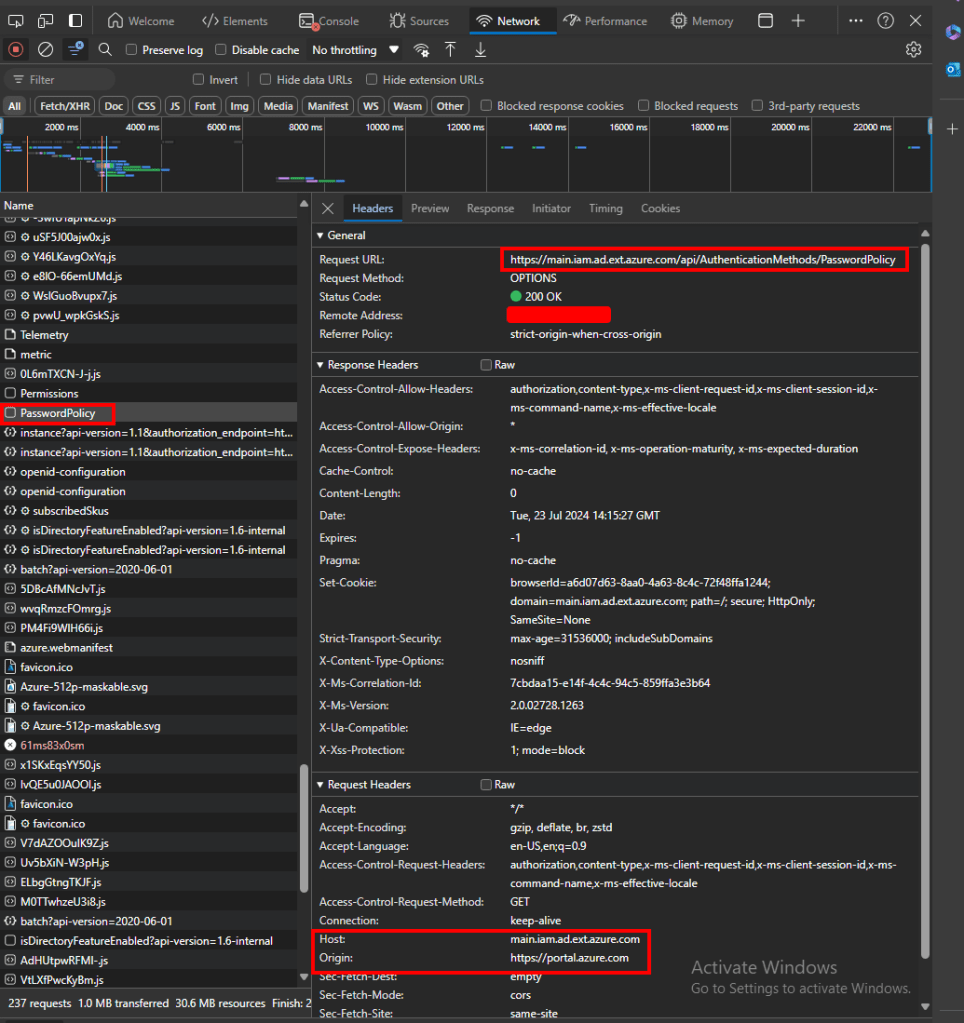
Opening up dev tools it looked like the request was going to main.iam.ad.ext.azure.com so I setup a curl command to send a token there. (I used Graph Runner to grab the token) My request looked something like this:
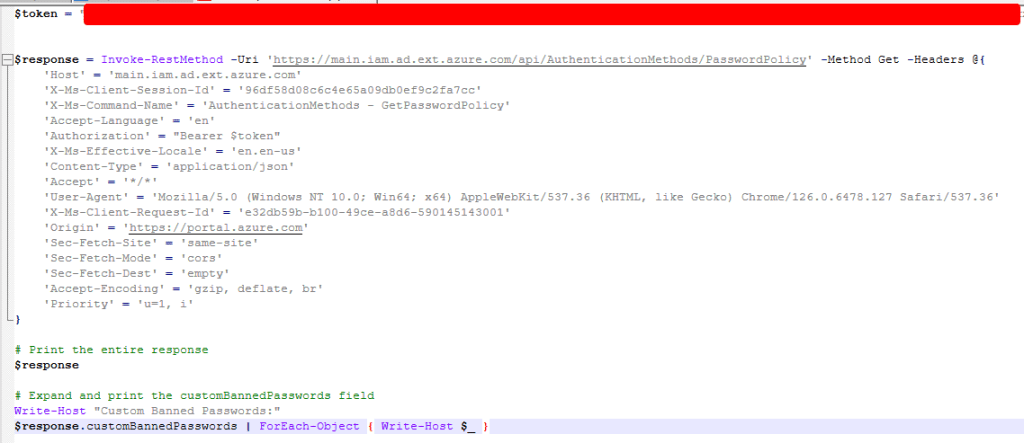
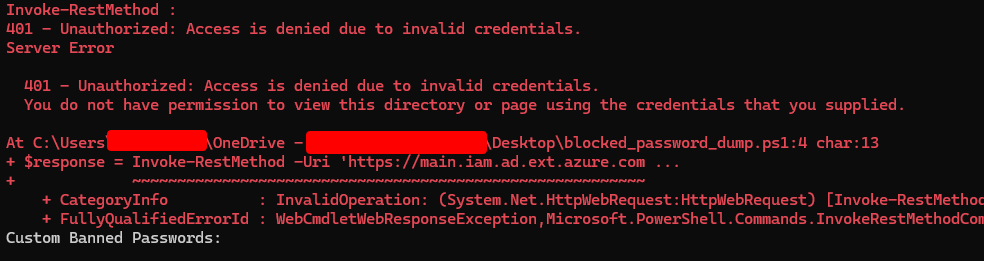
This however resulted in a 401 Unauthorized, the account that I was using was for a Global Administrator so I didn’t think that it was a permissions issue.
Next I tried this in Burp to see if there was something I was missing. Here I was able to find the exact request and response I had been looking for.
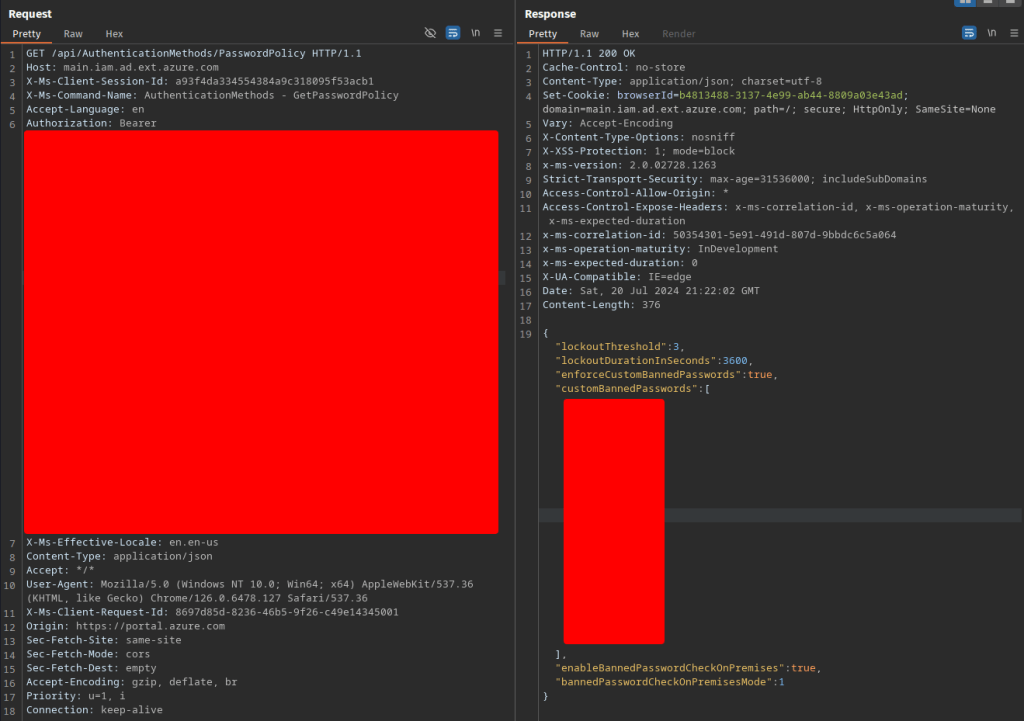
Pasting that token into the request I was able to get the same results. What I ended up figuring out was that the token issued to me in Burp was actually scoped to the “Audience” of something called 74658136-14ec-4630-ad9b-26e160ff0fc6. There is a great web tool on jwt.ms which is perfect for parsing tokens quickly. Pasting in the token I had gotten from GraphRunner showed the audience as https://graph.microsoft.com. My end goal here was to find a way to integrate this request into GraphRunner because I thought it would be a cool addition.


After a little more research I found this blog post which appeared to solve the problem I was having.
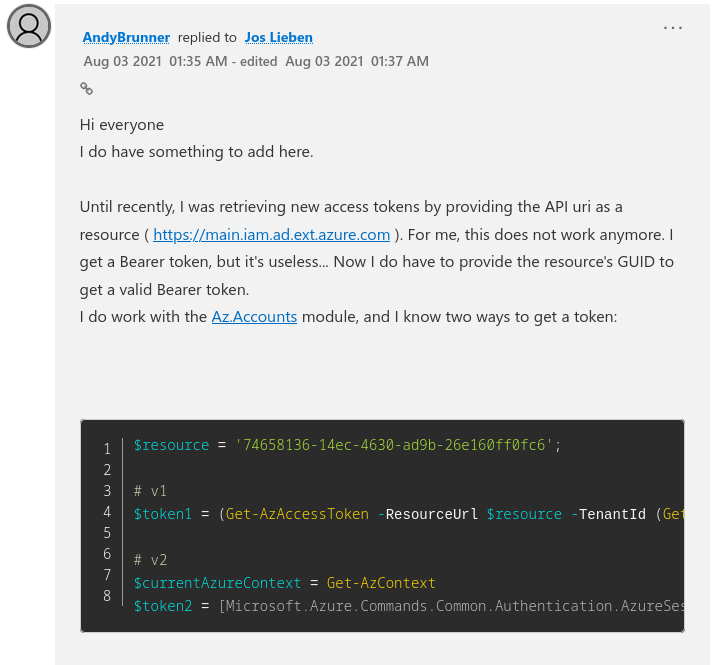
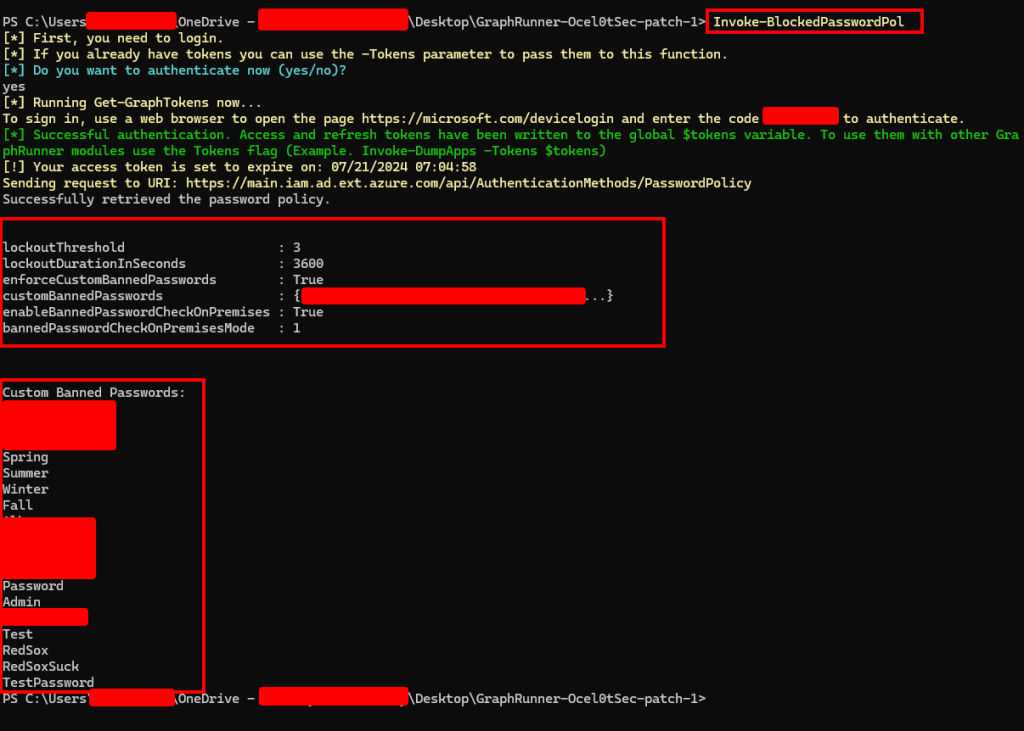
Using this method, the token request was then passed to the request which gave me the banned password policy and listed out banned passwords!
Why is this bad?
I wouldn’t even say this is a vulnerability as the requirements to list the banned passwords are rather high. If attempting to view them with a low privileged account to will not have the permissions required to view them. The custom banned password list requires at least “AuthenticationPolicyAdministrator” privileges and I have no idea how often that role is handed out. Obviously this works with the Global Administrator Role, but I will update this blog if I am able to get these results with any other permissions. Mainly I see this being used as a quick way for auditors to check if their clients are using all tools available to them, and providing them with guidance on how to improve their banned password list.

 Ocelot Security